If you are integrating Wrkr with a payroll provider, your provider may already be integrated with us. Please refer to this guide for more information.
If your payroll provider is not one of the ones listed in the guide, you can proceed to sign up for Wrkr.


Do You Need Payroll Software to Pay Super?

If you run a business with one to five staff, there's a good chance you've looked at your options for paying super and thought: do I really need a full payroll system just to get this done?
Since the ATO Small Business Superannuation Clearing House closed, many small businesses have adopted payroll software simply to keep paying super. But for many, it can feel like paying for a whole lot more than they actually need.
Many payroll systems start at around $50 a month and can climb past $80 once you add a third or fourth employee. That's almost $1,000 a year spent on a system packed with payroll features you'll likely never use, when all you're looking for is a simple way to pay super.
Wrkr's Small Business Super Clearing House was built for exactly this: businesses that simply want an easy, affordable way to meet their super obligations without paying for features they don't need.
Our Clearing House is simple to use, and backed by the same secure infrastructure trusted by more than 80,000 Australian businesses. You get everything you need to manage super contributions with confidence, without the complexity or cost of software built for much larger organisations.
Paying super doesn't need to be complicated
Now that the ATO Small Business Superannuation Clearing House closed and Payday Super is in effect, every employer needs a way to submit and pay super contributions, with every pay-run.
But if you're a micro business, a tradie with one offsider, a consultant with a part-time assistant, a café with a handful of staff, or a sole trader who's just hired their first employee, the job itself is actually quite simple.
You need to pay the right amount, to the right fund, on time, and have a clear record if you ever need to prove it. That's exactly what Wrkr's Small Business Super Clearing House is designed to do. It focuses on the job at hand, without bundling in payroll features built for businesses ten times your size.
You don't need to be a payroll expert or super specialist either. Whether you're doing your own admin after hours or squeezing it in between jobs, Wrkr is built to make paying super straightforward from your very first contribution.
How to pay super with Wrkr
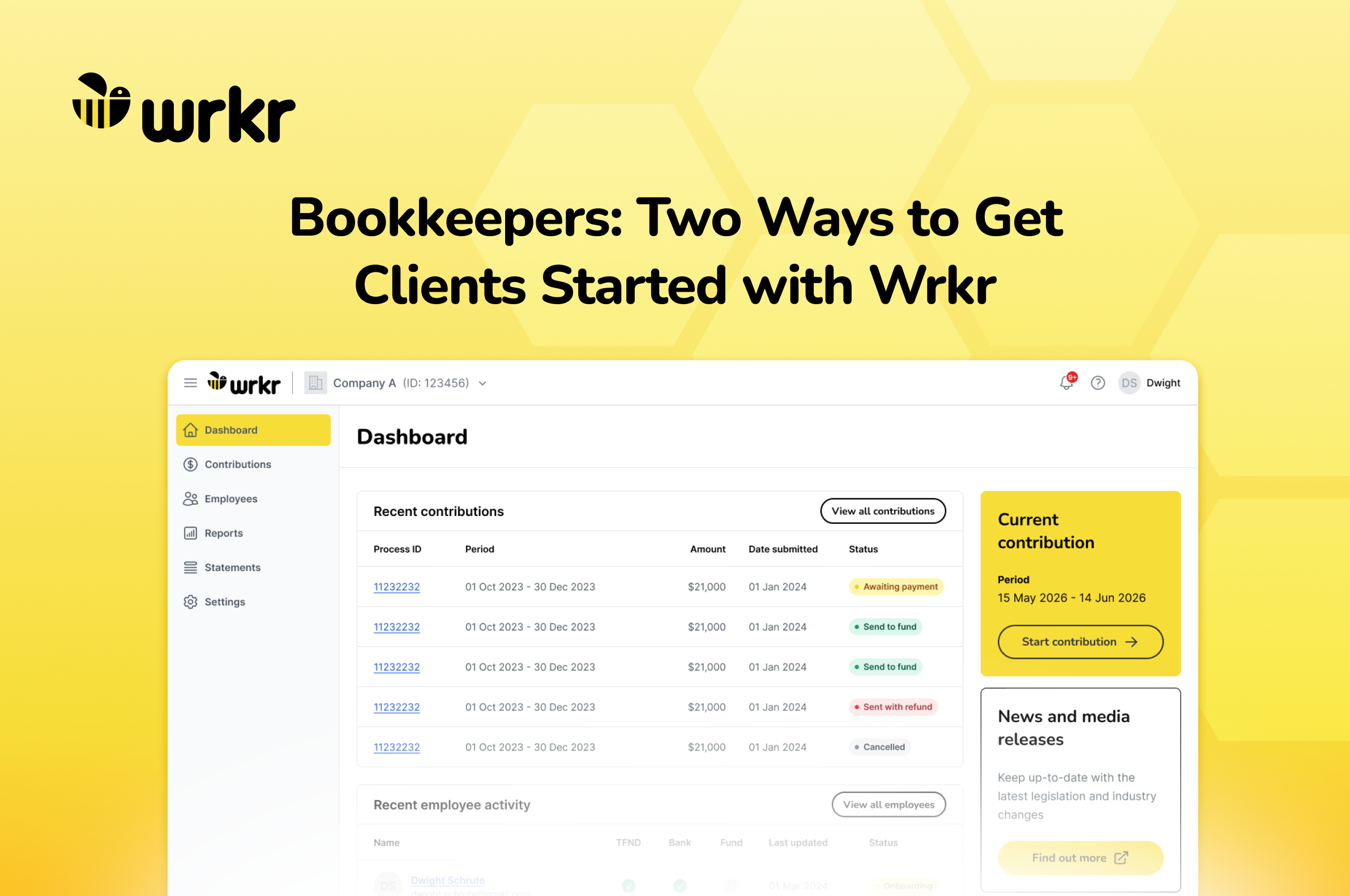
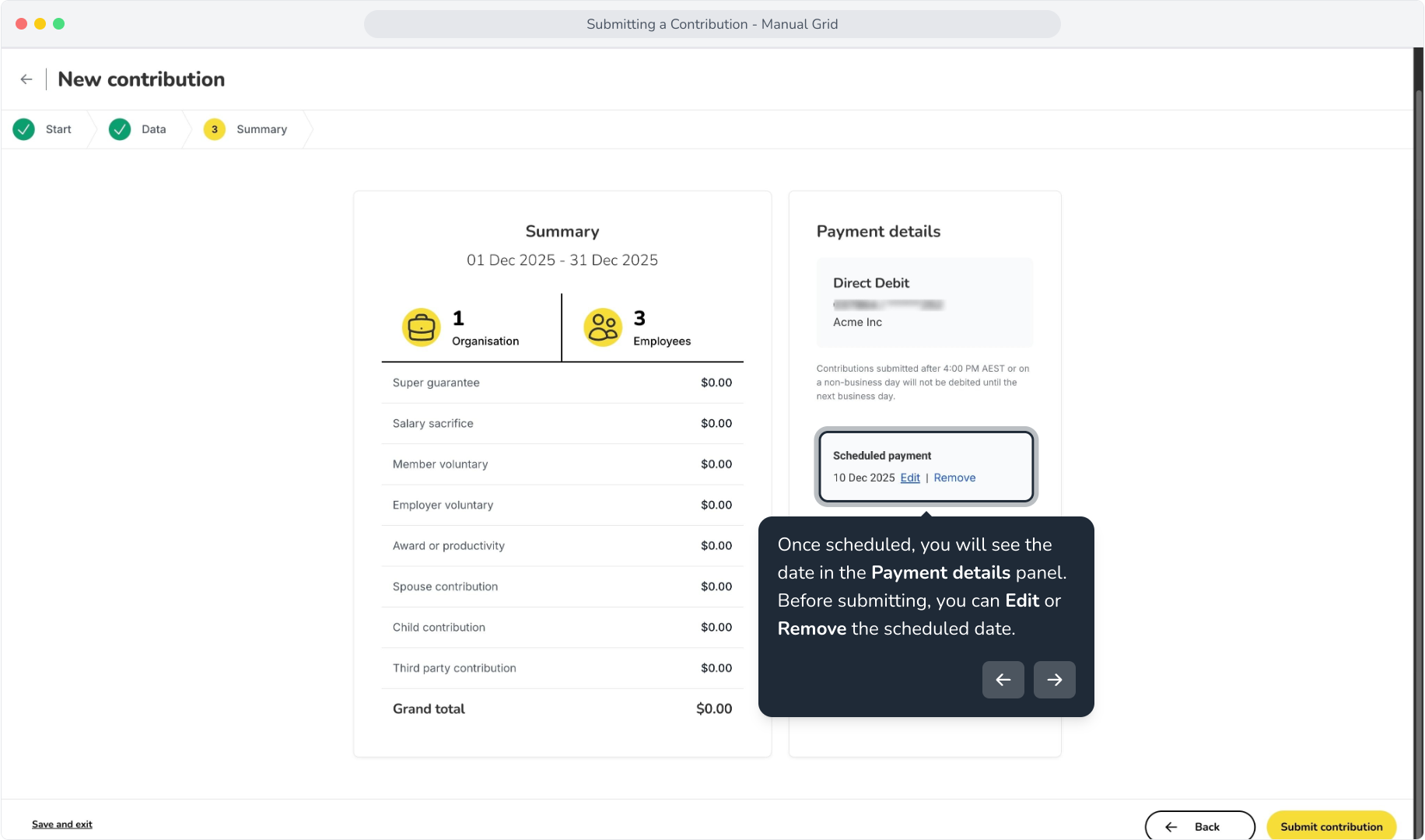
Wrkr gives small businesses multiple ways to submit super contributions. Create a contribution manually using a blank or pre-populated grid, or upload a CSV file and use the built-in file mapping tool to quickly match your employee data.
What this means is you can submit and pay super your way. Because Wrkr isn't tied to payroll, you're not locked into a regular pay cycle. Whether you're making a one-off contribution, paying super for a contractor, paying yourself super, or processing an ad hoc salary sacrifice contribution, you can do it whenever you need to.
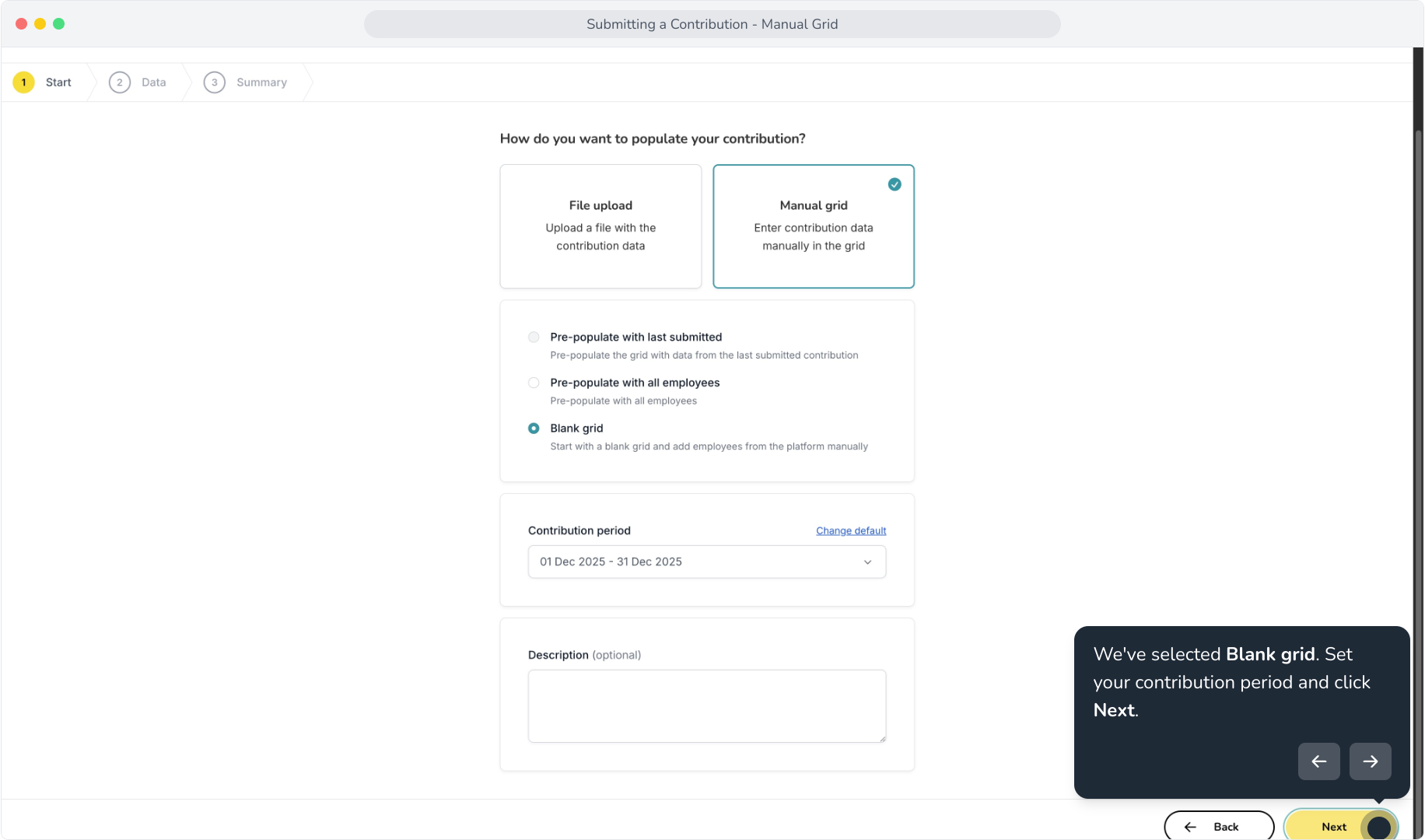
For a small business, that means you get the features that matter when it comes to paying super:
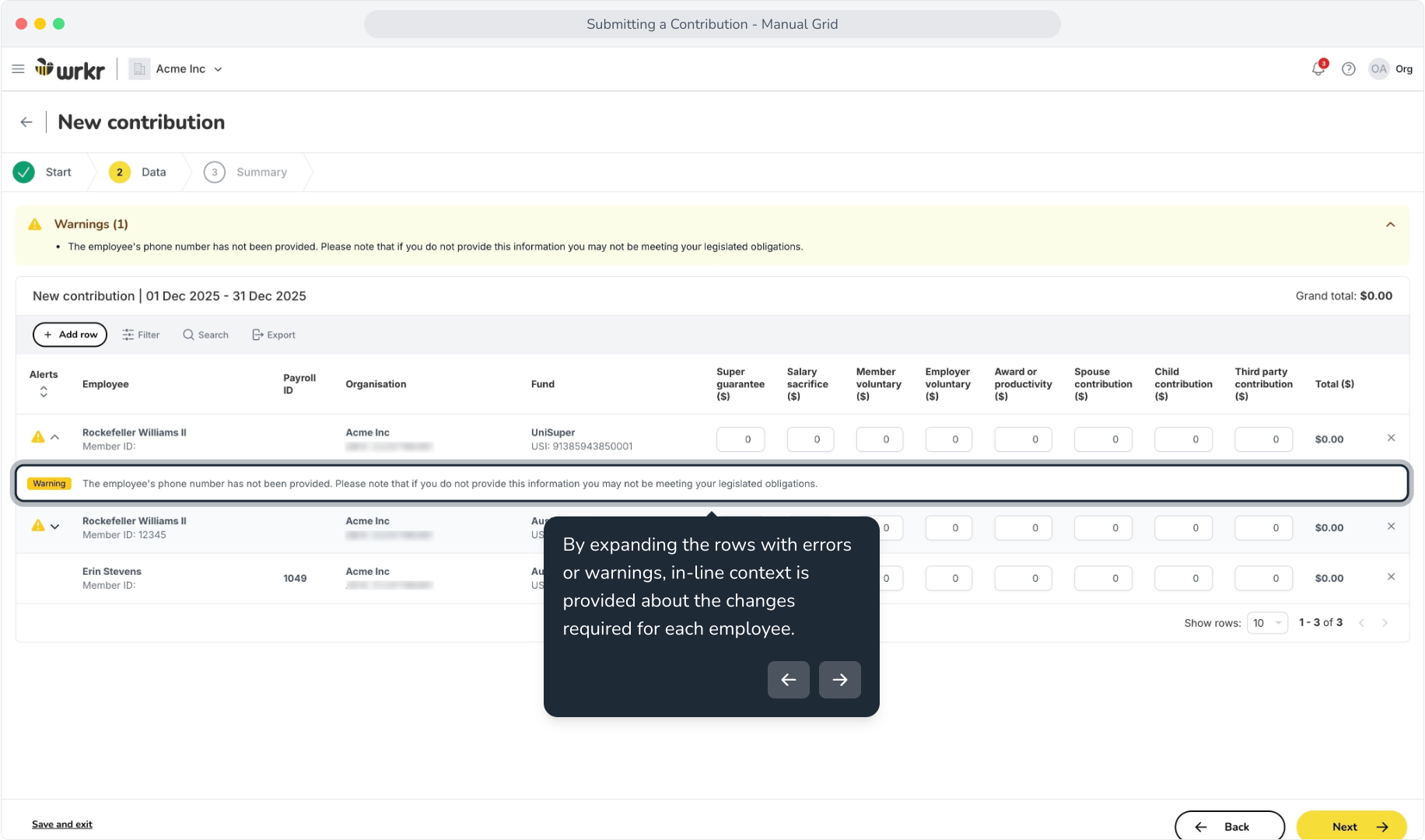
Built-in error checks and inline editing. Before anything is submitted, Wrkr flags issues like missing details or incorrect fund information. If something does bounce back, you can see exactly what went wrong and fix it in place, rather than starting the submission over.
SMSF and contractor super, handled the same way. Whether you're paying into a self-managed super fund or meeting your contractor super obligations, Wrkr handles it through the same simple platform, no separate systems or manual workarounds required.
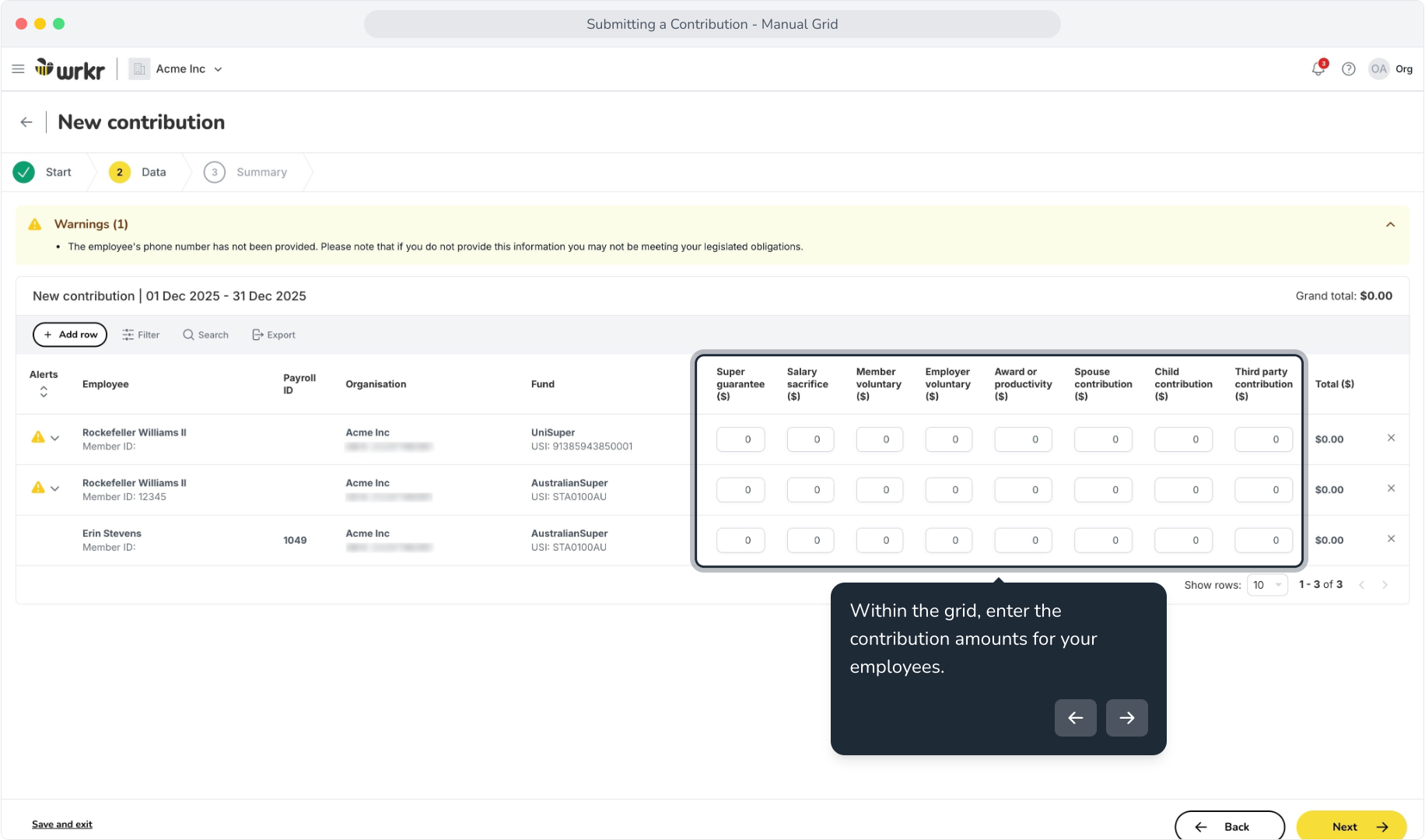
Simply enter the contribution into the manual grid or upload a CSV file, and Wrkr will process the payment to the employee's nominated super fund, whether it's an APRA-regulated fund or an SMSF.
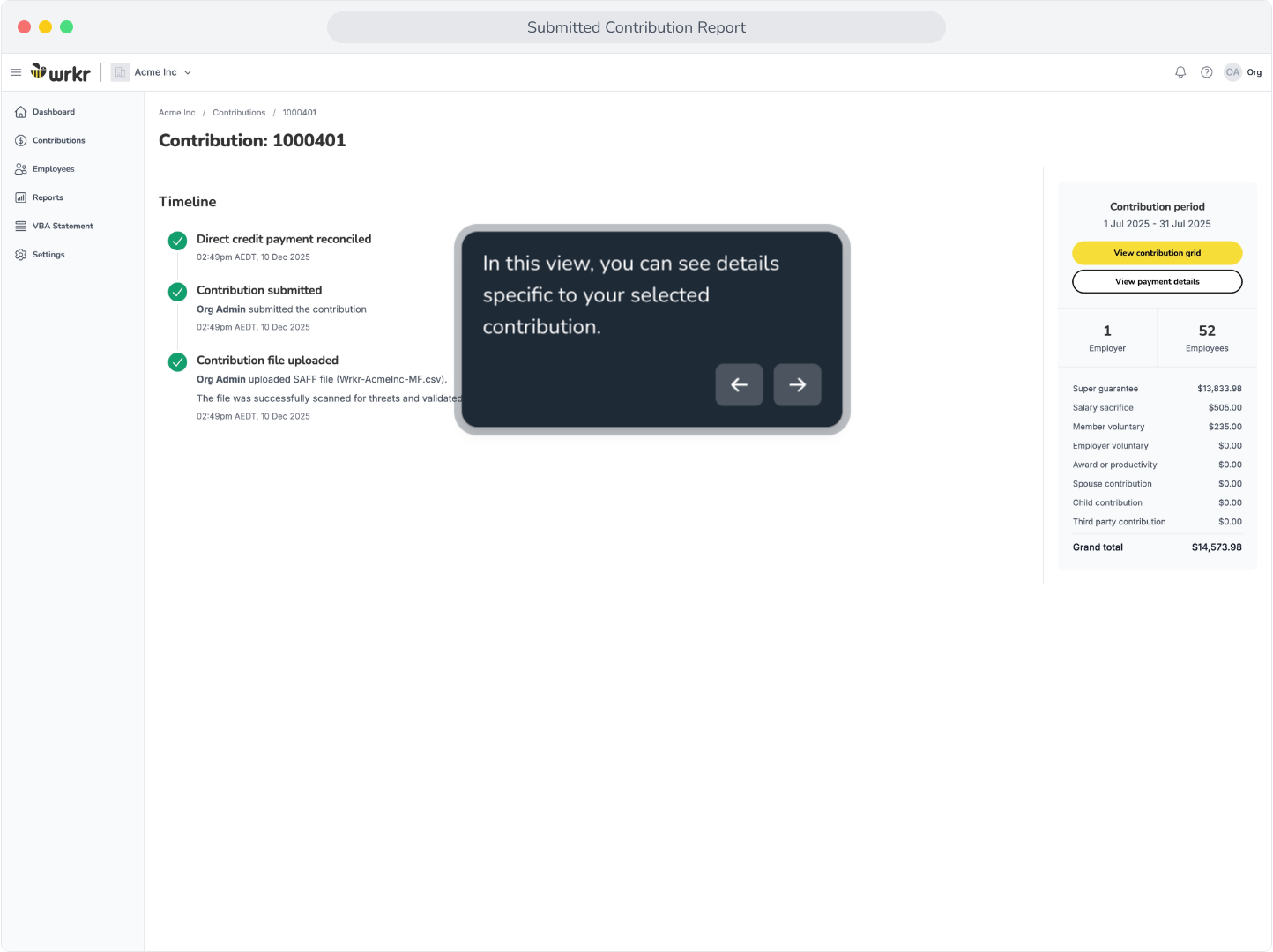
Timestamped contribution timelines. Every contribution is tracked from submission through to fund confirmation, so you can see exactly what's been processed, what's pending, and what needs attention, without chasing anyone for an update, or worrying about where your money is.
Pay using the method that suits your business. Once your contribution is ready, you can pay using Direct Debit, EFT or BPAY. That means you can stick with the payment method that already works for your business, rather than changing your process just to pay super.
A better fit for smaller businesses
Wrkr’s Small Business Super Clearing House is great for:
- Sole traders and micro employers managing super for a small team and looking for a simple way to stay on top of contributions.
- Businesses paying super for contractors that need a straightforward way to make contributions without running them through a traditional payroll process.
- Business owners managing their own super who want to make contributions without relying on an accountant or bookkeeper to do it for them.
- Bookkeepers managing multiple small businesses, who can manage multiple clients from one login and keep contributions in one place.
Built to work as your business grows
Starting small doesn't mean choosing something you'll immediately outgrow. As you hire more people, you can continue adding employees and making contributions through Wrkr without changing how you manage super.
And if your business eventually reaches the point where you need payroll software for things like timesheets, leave, rostering or more complex payroll requirements, you can make that decision when you actually need it.
The important part is that you have a simple, reliable way to pay super today, without making the rest of your business more complicated than it needs to be.
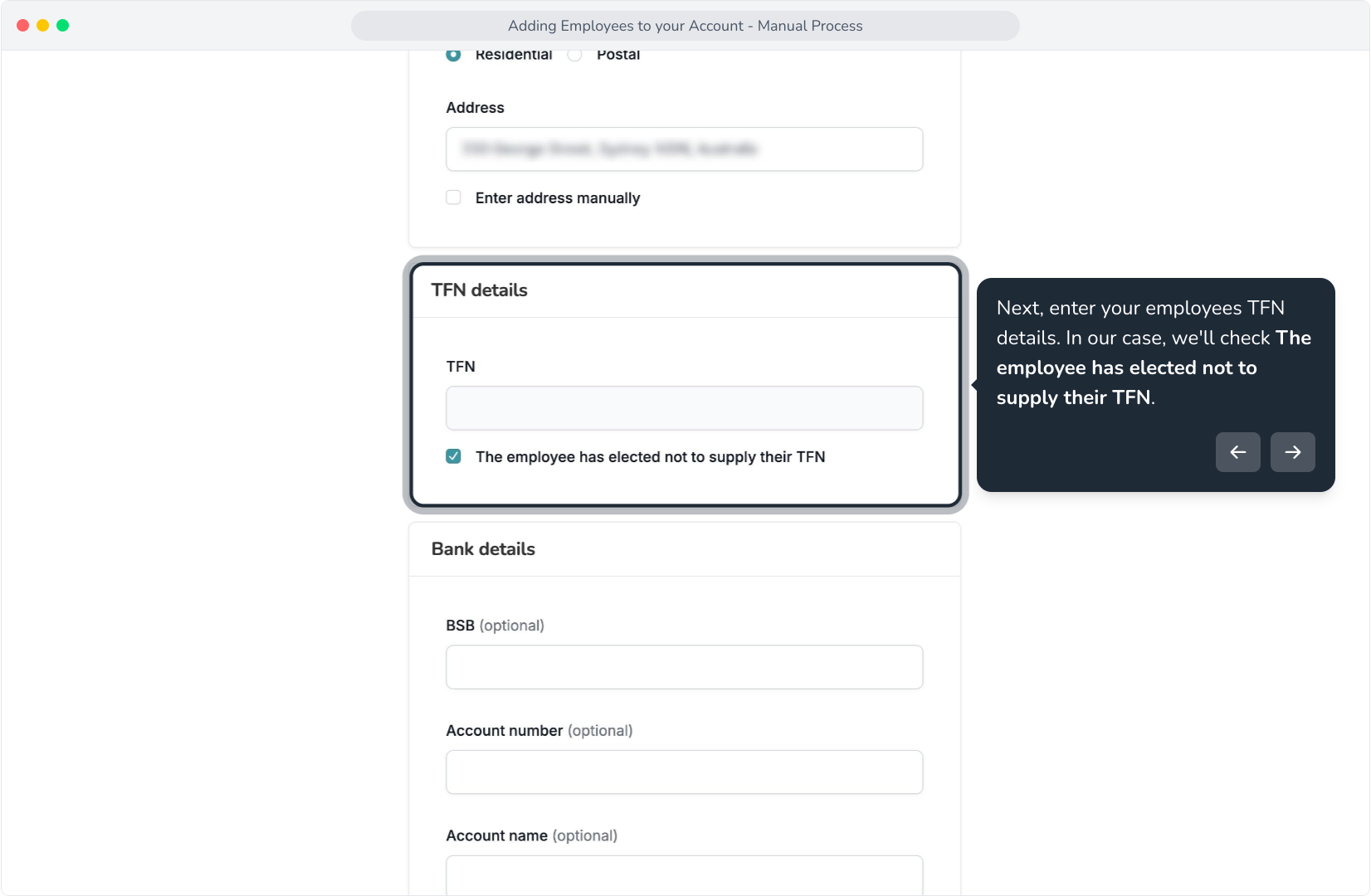
You can add new employees to Wrkr in two ways: manually enter their details yourself, including their personal, TFN, employment and super fund information, or use online onboarding, where the employee provides their own details. This makes it easy to keep your employee and super information up to date as your workforce changes.
Getting started
Getting started doesn't mean migrating your accounting system or changing how you run your business. Setting up a Wrkr account takes around 10 minutes: add your business details, set up your employees, choose how you want to submit contributions and you're ready to go. You can view current pricing or get started here.
If you're still working through the shift away from the old ATO clearing house, our step-by-step transition guide and first contribution walkthrough cover the practical steps.
This means super becomes part of your regular payroll process. You’ll need a system that can handle frequent submissions, maintain accurate employee data, and provide visibility over payment status, not just at quarter end.
A centralised approach, with multi-entity access, bulk processing, and clear visibility over submissions, fund receipt, and any issues, becomes critical to keeping things running smoothly.